Tours, personal training and classes in one calendar
Every trainer has their column. The front desk sees everything. Whoever books a tour from the website lands in the calendar by themselves, with reminders.

What happens in a gym
The tour is booked over the phone, written on a sheet, and the person does not show up.
The widget on the website collects name, email and phone, sends the confirmation with the calendar event and two reminders.
Trainers keep their own appointments on their phone and the front desk cannot see them.
Every trainer edits their own calendar, the front desk sees and edits all of them. One colour per person.
At the end of the month, counting personal training hours and classes taught is a job in itself.
Every trainer's monthly report fills itself in: appointments, hours and types.
The features that matter in a gym
01
Classes with limited seats
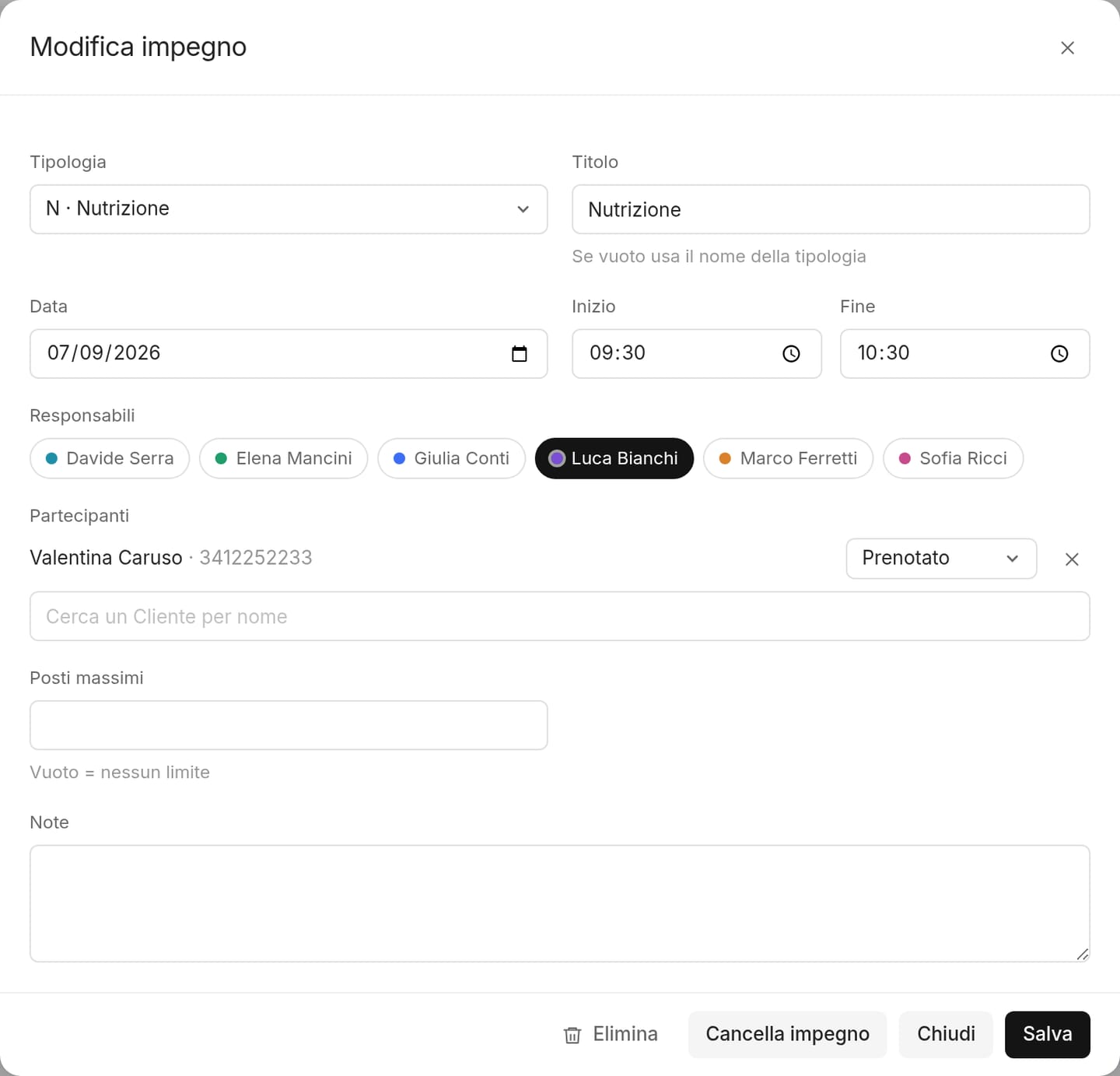
Tabata on Monday, Wednesday and Friday at 6 pm, 20 seats and one instructor: one recurrence, created once. Participants are added from the appointment window.
02
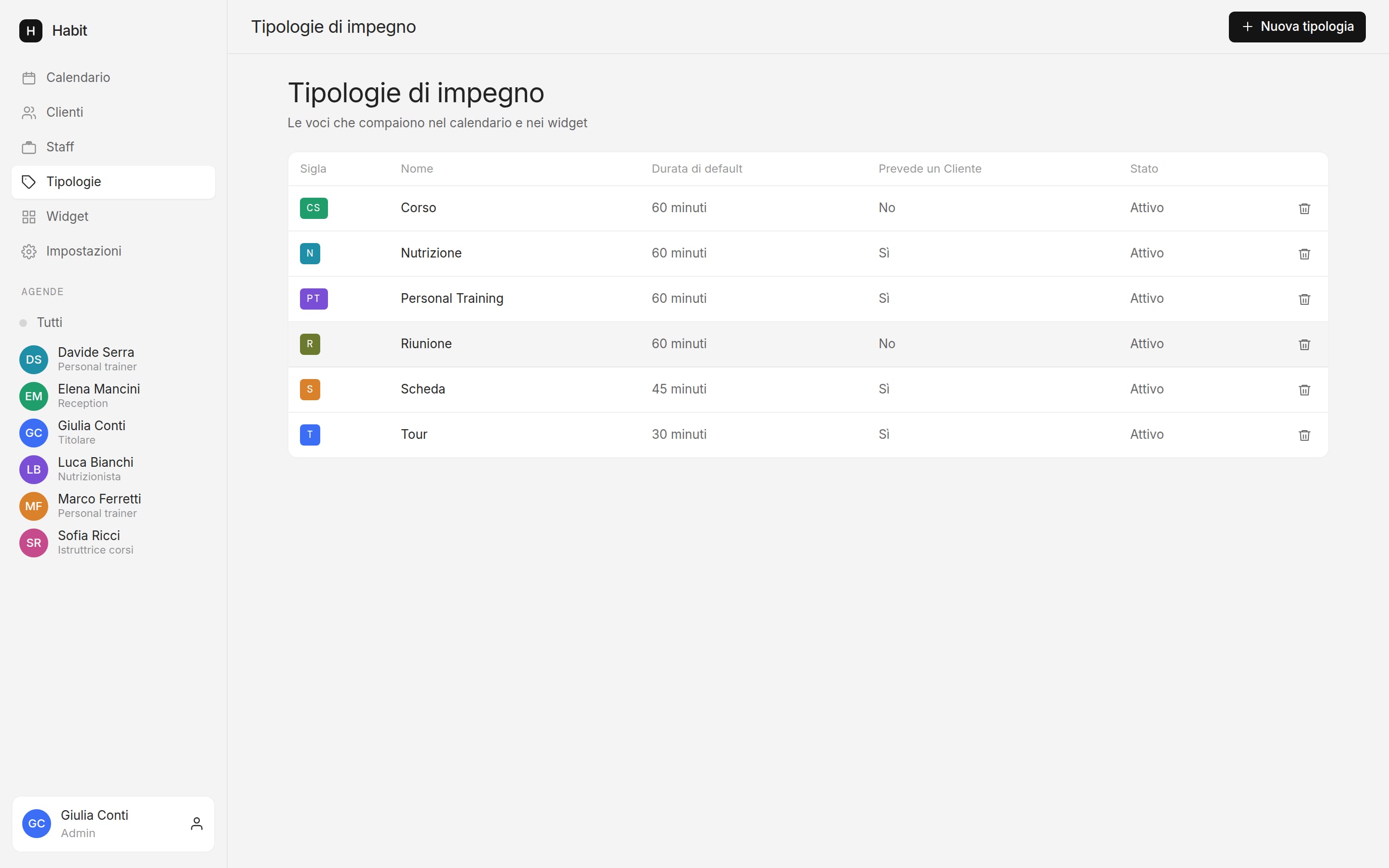
Your own types, with duration and colour
A 30-minute tour, 60-minute personal training, a 45-minute programme, 60-minute nutrition. Add and change them whenever you want.
03
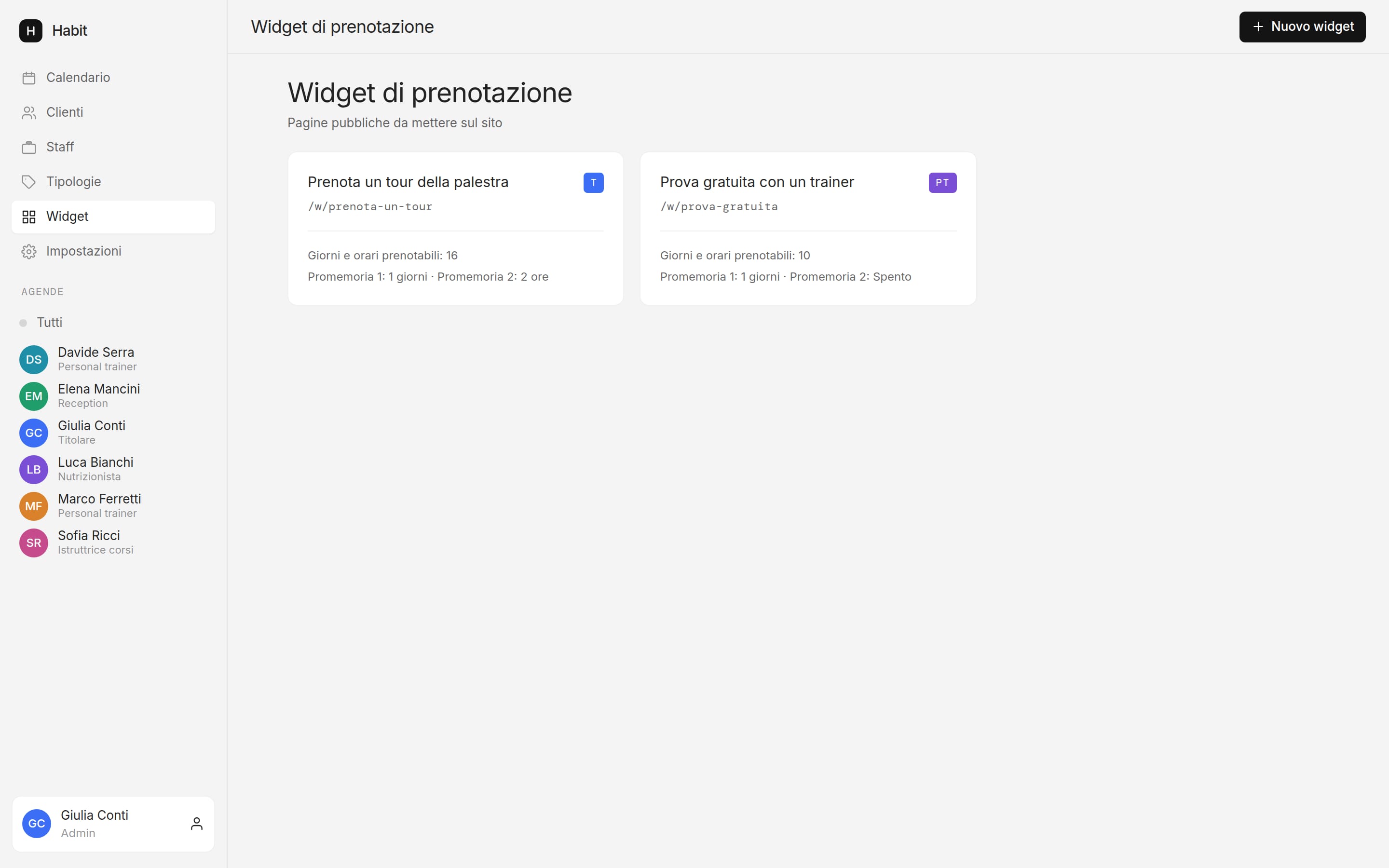
Free trial bookable from the website
One widget for the tour and one for the trial with a trainer, each with its own times and host.


Questions from gyms
Does it handle memberships and payments too?
No. Habit is the calendar: appointments, clients, bookings and reminders. For memberships and payments you keep using the tool you have.
Can trainers see client data?
Only first name, surname and phone, what is needed to call a no-show. Email and notes stay with the front desk and the admin.
Can a client sign up for a class from the website?
The widget creates an appointment for each time slot and accepts several bookings on the same slot: that is how you let people book a class with limited seats. Sign-ups to a class already in the calendar are added from the appointment window.
See Habit with your classes and your trainers
Thirty minutes online. We bring your typical week into the demo.
Book a demo